Facebook Messenger Templates
Create and manage message templates for Facebook Messenger campaigns and automated replies from Facebook Messenger > Templates in the WhatsCloud sidebar.
No Approval Required & Unlimited Free Sending
Unlike WhatsApp templates, Facebook Messenger templates do not require Meta approval and template messages are free to send. You can create a template and use it immediately in Messenger campaigns.
Overview
Facebook Messenger templates are reusable message formats that you can use in Messenger campaigns. They work similarly to WhatsApp templates, but with a few key differences:
| Feature | WhatsApp Templates | Messenger Templates |
|---|---|---|
| Meta Approval | Required | Not Required |
| Sending Cost | Per-message charges may apply | Free & Unlimited |
| Availability | After approval | Immediate |
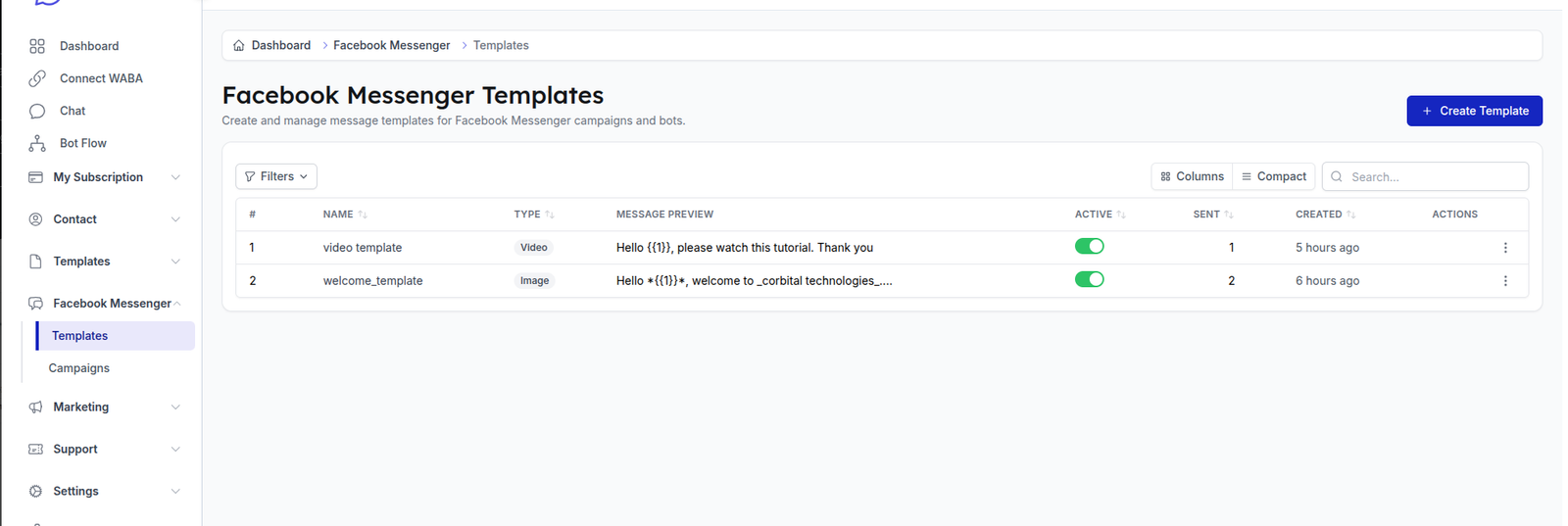
Template List
The template list shows all created Messenger templates with the following columns:
| Column | Description |
|---|---|
| Name | Template name for identification. |
| Type | Content type of the template, such as Text, Image, or Video. |
| Message Preview | Preview of the template message body. |
| Active | Toggle to enable or disable the template. |
| Created | Date when the template was created. |
| Actions | Edit or delete the template. |
Creating a New Template
- Click the + Create Template button.
- Fill in the template details.
- Save the template to make it available for Messenger campaigns.
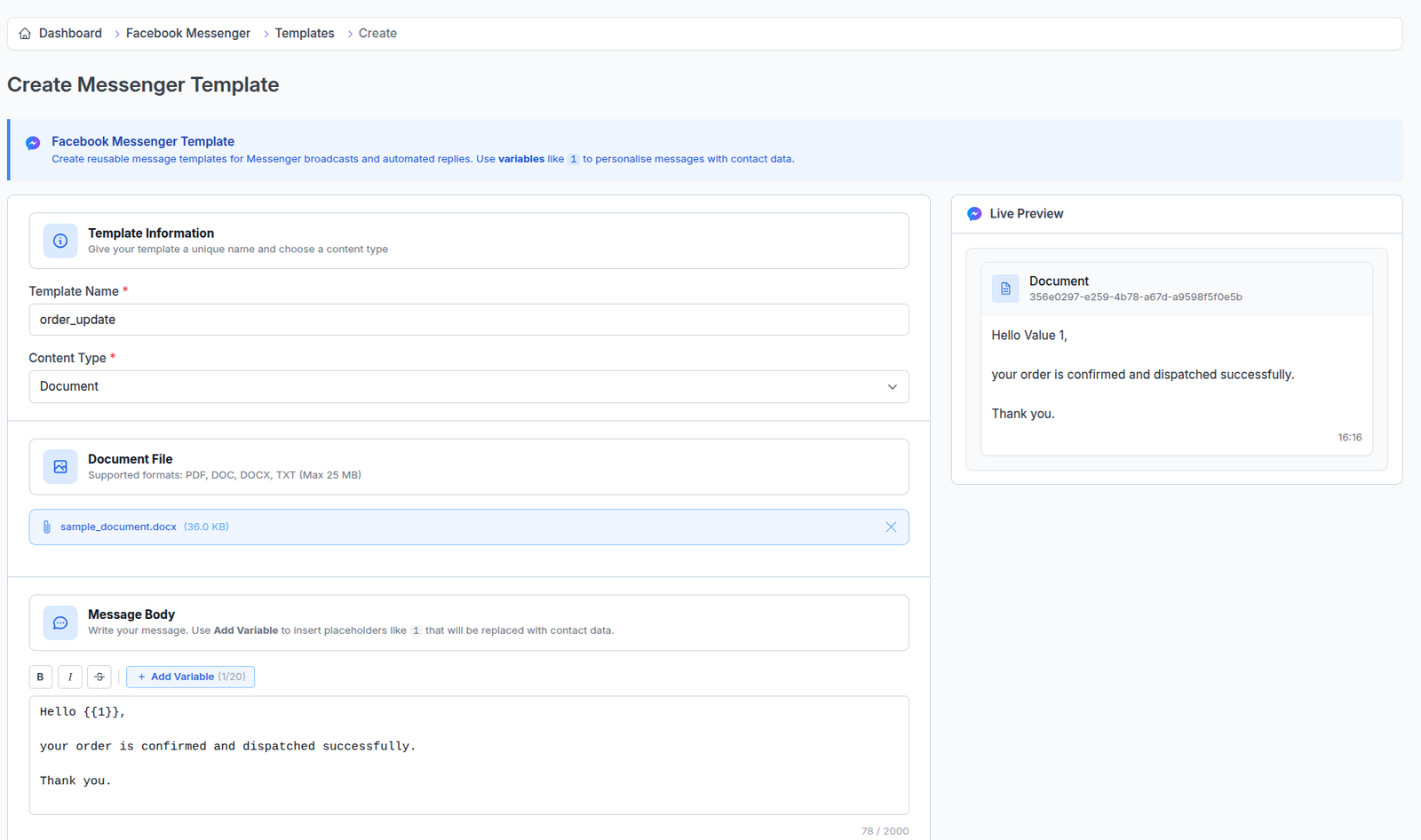

Template Information
| Field | Description |
|---|---|
| Template Name * | A unique name for your template, such as welcome_message. |
| Content Type * | Select the content type: Text, Image, or Video. |
Message Body
Write your message content in the Message Body field. You can:
- Use Bold, Italic, and
Strikethroughformatting. - Click + Add Variable to insert dynamic placeholders that will be replaced with contact data when sending.
- Write messages up to 2000 characters.
A Live Preview is shown on the right side so you can see how your message will look before saving.
Buttons
You can add interactive buttons to your Messenger template:
| Button Type | Limit | Description |
|---|---|---|
| Quick Reply | Max 13 | Predefined reply options that users can tap to respond. |
| URL Button | Max 3 | Buttons that open a URL when tapped. |
Save Template
Click Create Template to save. The template will be available immediately for use in campaigns.
Current Availability
Messenger templates can be used in Facebook Messenger Campaigns. Bot and automated reply support can be added when available in future updates.